Home » StarBar Star Power Button Upgrade Installation Guide – CRKD Les Paul
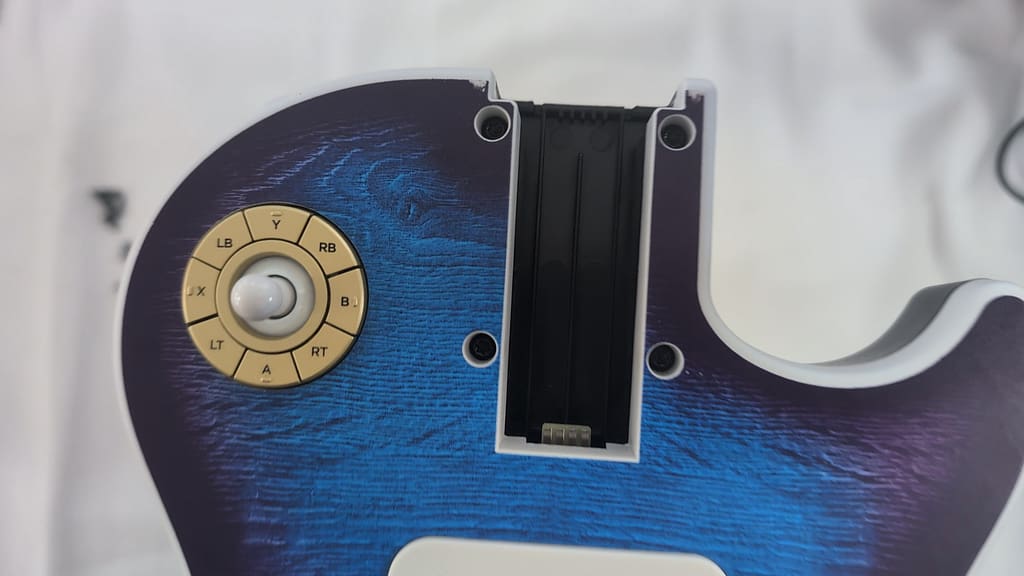
In this guide, we will be installing the StarBar Star Power Button Upgrade mod. The StarBar can be used on both the Blueberry Burst and Tribal variants of the CRKD Les Paul Guitar Controller.
If you do not have these screwdriver/bits already, we suggest this screwdriver kit.
1. Remove the battery from the compartment under the “bridge” cover.
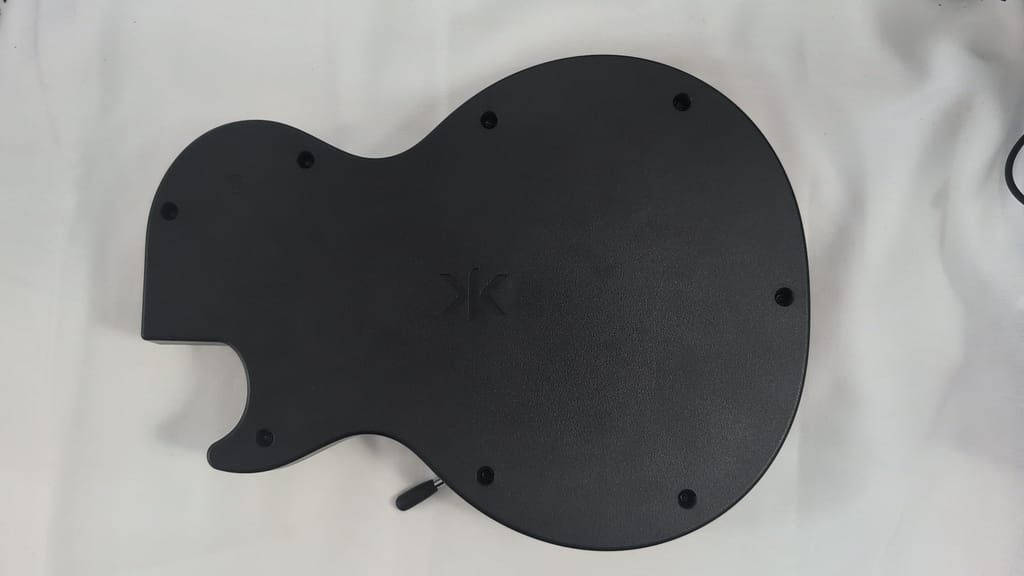
2. Remove 8 T10 torx screws on rear of guitar body
3. Remove 4 T10 torx screws near neck slot on front of guitar body
4. Lay guitar body on its front with rear facing upwards and remove the rear body shell
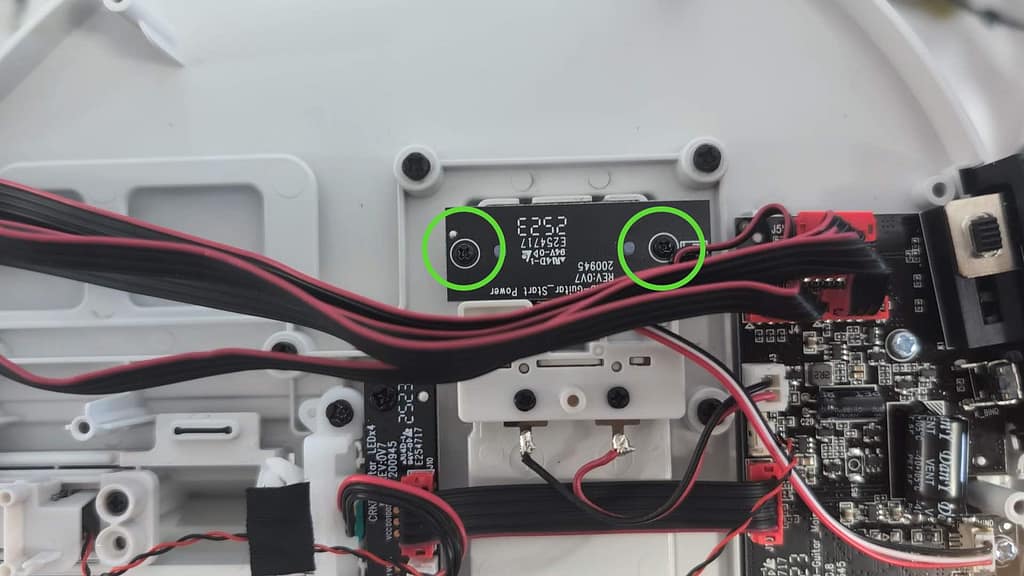
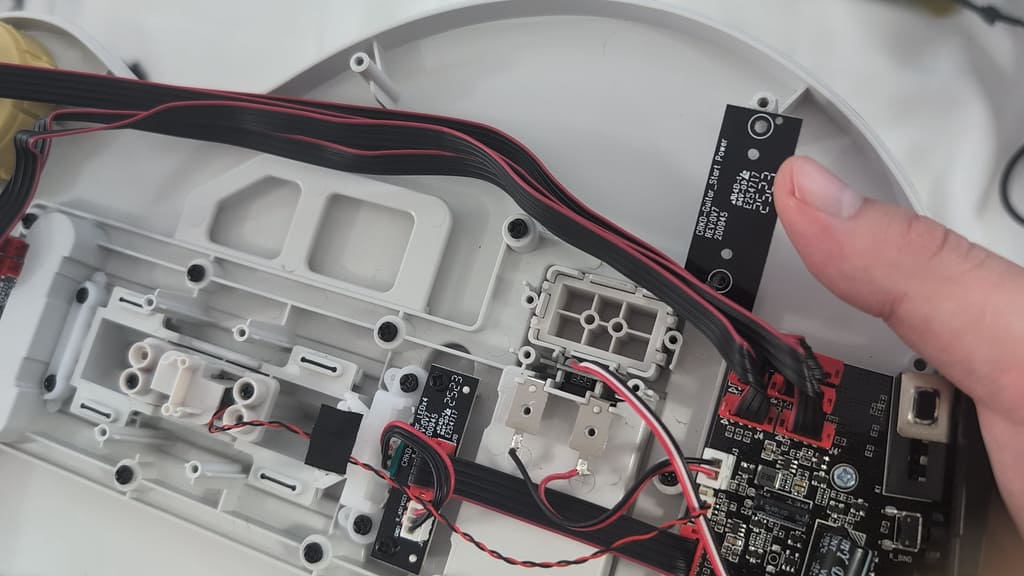
5. Move the wires covering the “CRKD-Guitar_Start Power” board, then remove the 2 PH1 screws that hold the board in place
6. Move the wires covering the “CRKD-Guitar_Start Power” board, then remove the 2 PH1 screws that hold the board in place
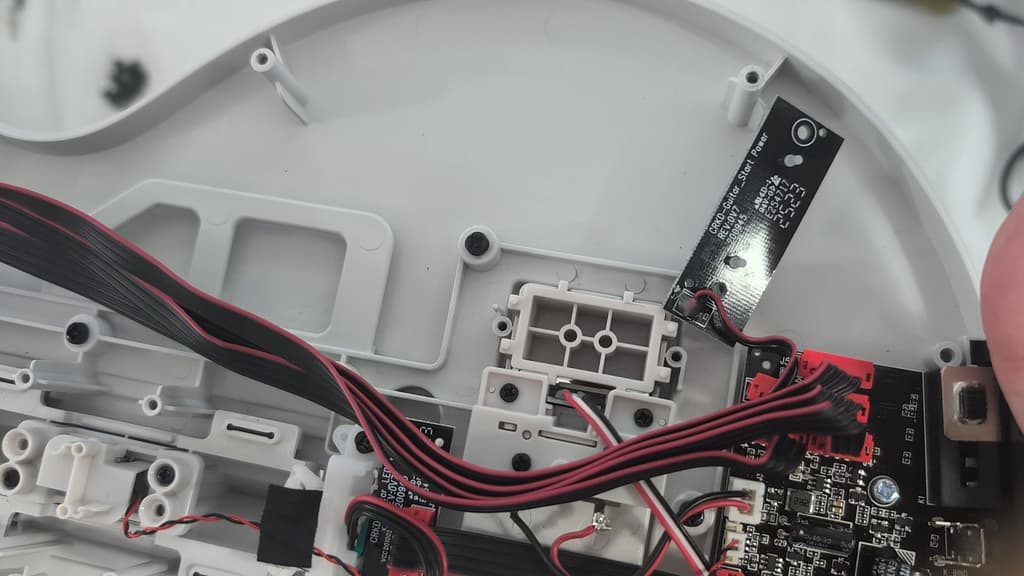
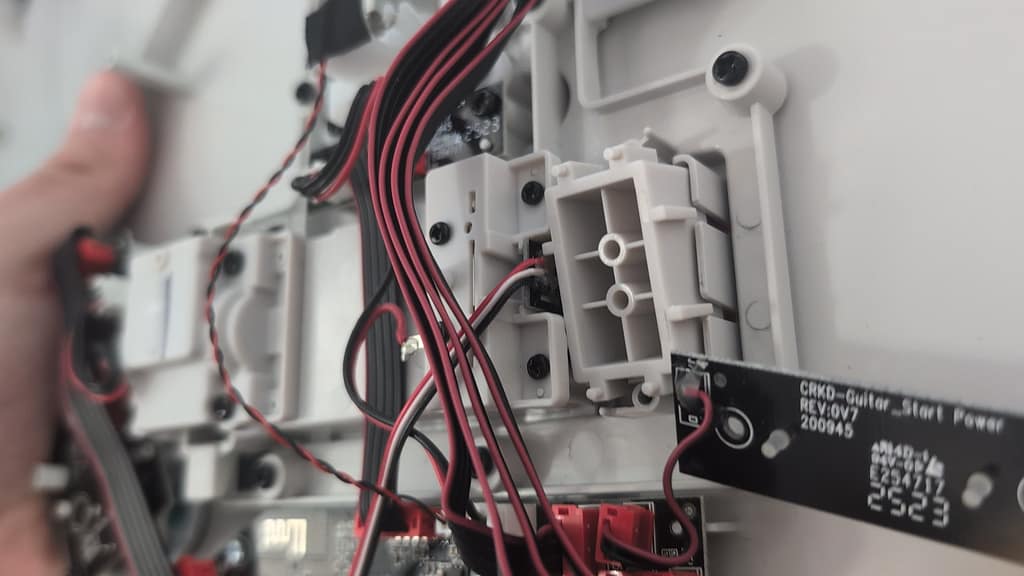
7. Move the “CRKD-Guitar_Start Power” board out of the way to give clearance for removal
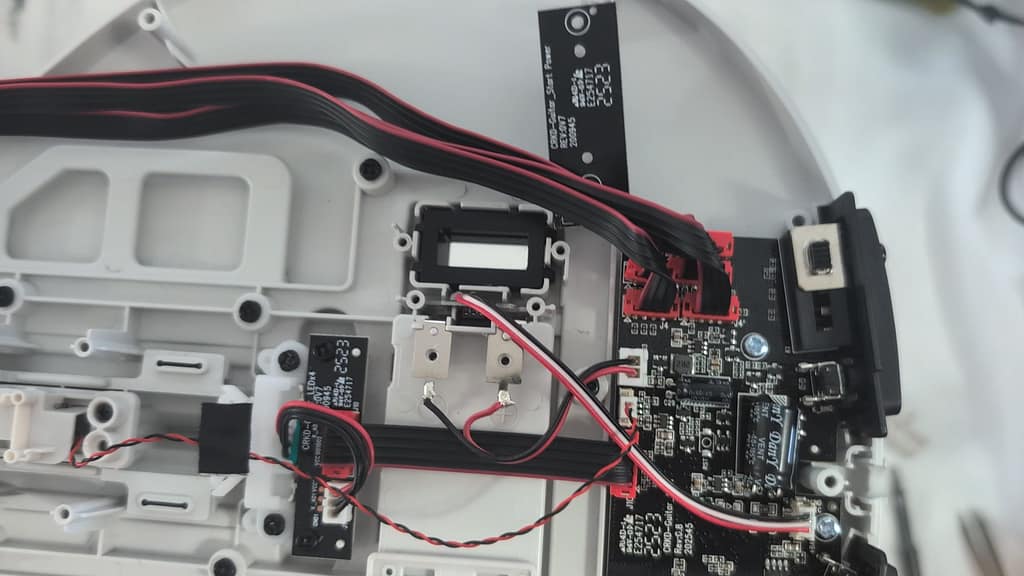
8. If you push up on the existing CTRL button, you’ll notice that a part of the battery terminal bracket prevents us from taking the button out cleanly
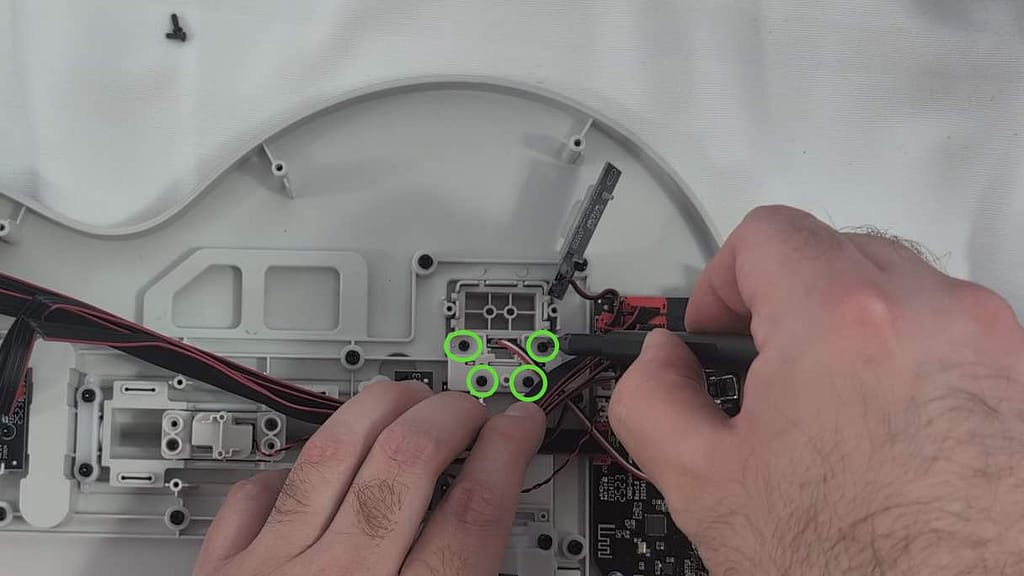
9. Unscrew the 4 PH1 screws holding down the battery terminal bracket, then remove the bracket
10. Remove the CTRL button from the slot
11. Put the StarBar base in the slot
12. Reinstall the battery terminal bracket using the 4 PH1 screws we removed earlier
13. Place the “CRKD-Guitar_Start Power” board over the StarBar base and install the 2 PH1 screws
14. Put the wires we moved out of the way back behind their cable management flap
15. Reinstall the rear body shell and 8 T10 torx screws
16. Reinstall the 4 T10 torx screws on the front of the guitar, near the neck
17. Slot your choice of StarBar lever into the base

If you have a question about something that isn’t covered here, check out our additional resources.
And if that doesn’t do the trick, you can send an email to support@RetroCultMods.com or through the button below.
© 2024 RetroCultMods. All Rights Reserved.